Get Pagle
Pagle is a fishing addon for World of Warcraft: Forever. Install the addon first; Pagle Companion then puts your Journal online.
-
The addon
Free, and one download that holds all six of Pagle's addons. It runs on World of Warcraft: Forever only.
- Get Pagle on CurseForge Install it with the CurseForge app, which keeps it up to date.
- Get Pagle on Wago Install it with the Wago app, which keeps it up to date.
By hand, from GitHub
Unzip it so the six Pagle folders sit side by side in your WoW folder's
Get the zip on GitHubInterface/AddOns, then/reload. Update it the same way.In the game, open Pagle from its button by the minimap, or with
/pagle. -
Pagle Companion
Pagle Companion uploads your Catch log after every
/reloador logout, so your Angler page stays up to date. It's free and open source, and optional: without it, paste a Paste string.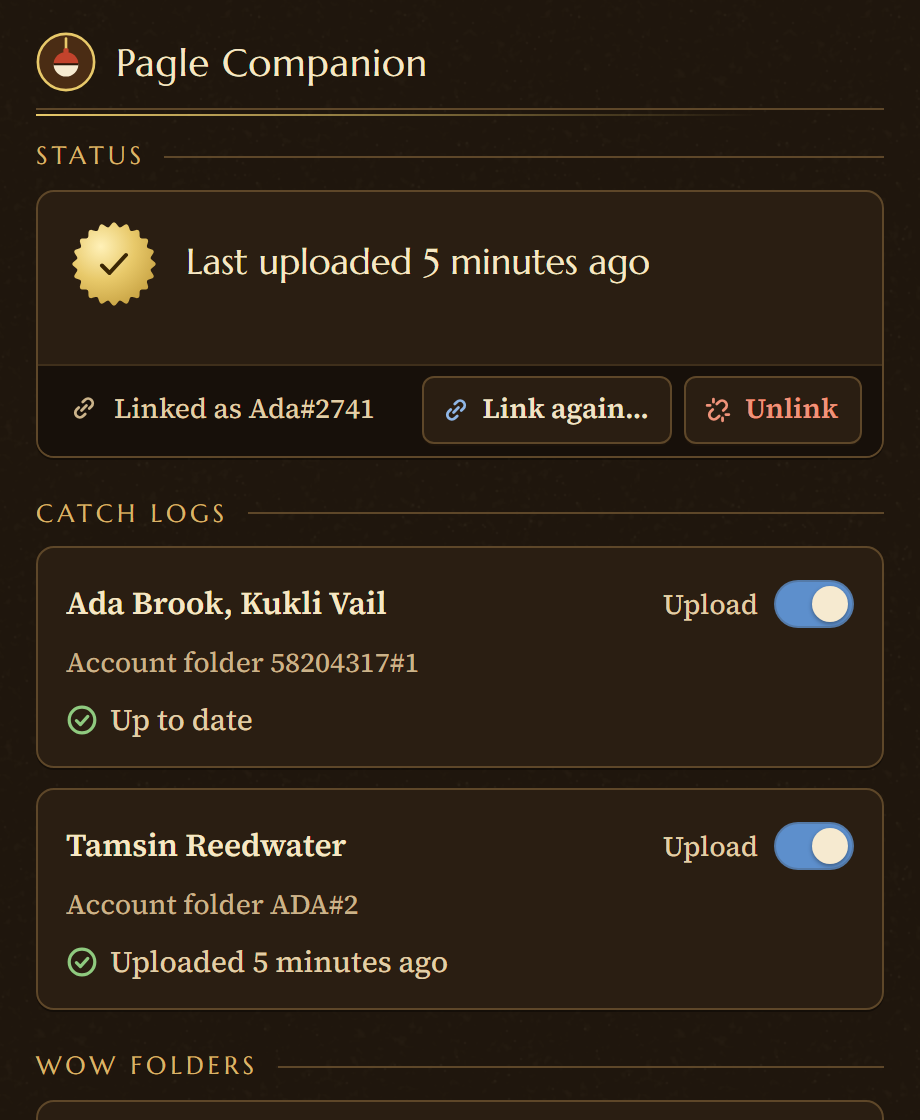
Pagle Companion sits in the tray and uploads after every /reload.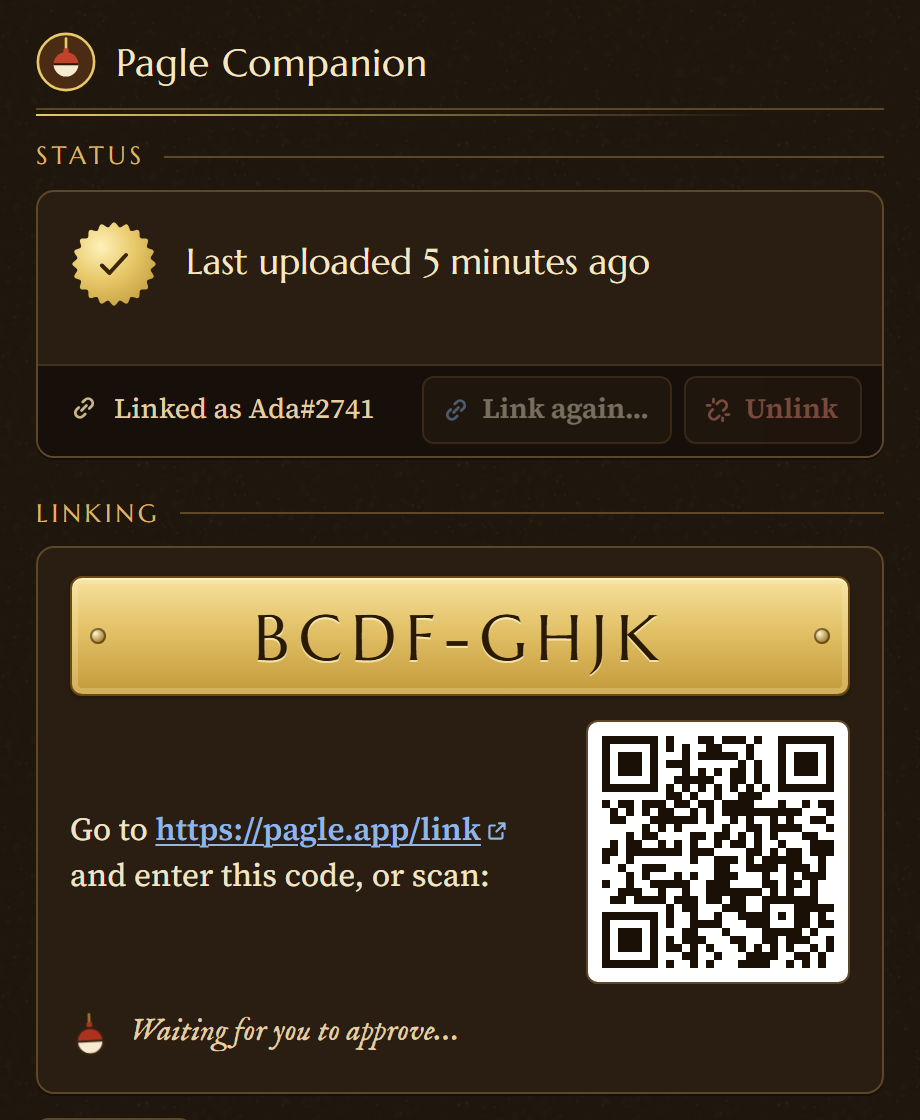
Link it to your Pagle account once with a code. Pagle Companion runs on Windows and Linux PCs, including Steam Deck.
Windows
Download for WindowsVersion 0.3.2
Pagle Companion isn't signed yet, so for every new version Windows may say it protected your PC. Click More info, then Run anyway.
If your Windows 11 has Smart App Control turned on, it blocks Pagle Companion. Use a Paste string instead.
Linux
Download the AppImageVersion 0.3.2
Make it executable, then run it.
Steam Deck Beta
- Switch to Desktop Mode.
- Download the AppImage into
~/Applications. - Right-click it, open Properties → Permissions, and tick Is executable.
- Run it.
If it says it cannot mount the AppImage, run it from Konsole with
--appimage-extract-and-run.Uploading after you play in Game Mode is a setting in Pagle Companion. Experimental
macOS
Pagle Companion isn't available for Mac yet. Use a Paste string instead.


No Companion?
In the game, export a Paste string from Pagle, then paste it on the Paste upload page.
If WoW crashes
WoW saves your Catch log only on /reload, logout or a disconnect. A crash loses the catches since then; Pagle can't recover them.